Reconcile every payment. Even the messy ones.
Reconcile every payment — including checks and cash. Capture payment details, separate processor fees, prepare bank-ready deposit slips, and sync clean records into Xero or QuickBooks. Clearing accounts balance out upon verified settlement.
Real businesses don’t get paid in just one way.
Stripe handles cards. QuickBooks and Xero manage ledgers. But what about the check that arrived by mail, or the lump-sum teller deposit? Traditional systems record entries, but leave manual intake and matching to you on Friday afternoon.
One pipeline. Every payment.
Every payment — digital or paper — flows through the same structured intake into Xero or QuickBooks Online. Set up your mapping once and let the engine balance the records.
& Cards
Checks
Deposits
& ACH
ledger
ledger
See how ePayUs moves payments from intake to the ledger.
ePayUs gives your team one operational workspace for capturing payments, preparing deposit records, and sending structured financial data into your connected accounting software.
Run payment operations from one workspace
Capture payments, send payment pages, manage invoices, prepare deposits, and access accounting setup from one practical dashboard.
Your team can handle day-to-day payment activity without moving between spreadsheets, email threads, and accounting settings.
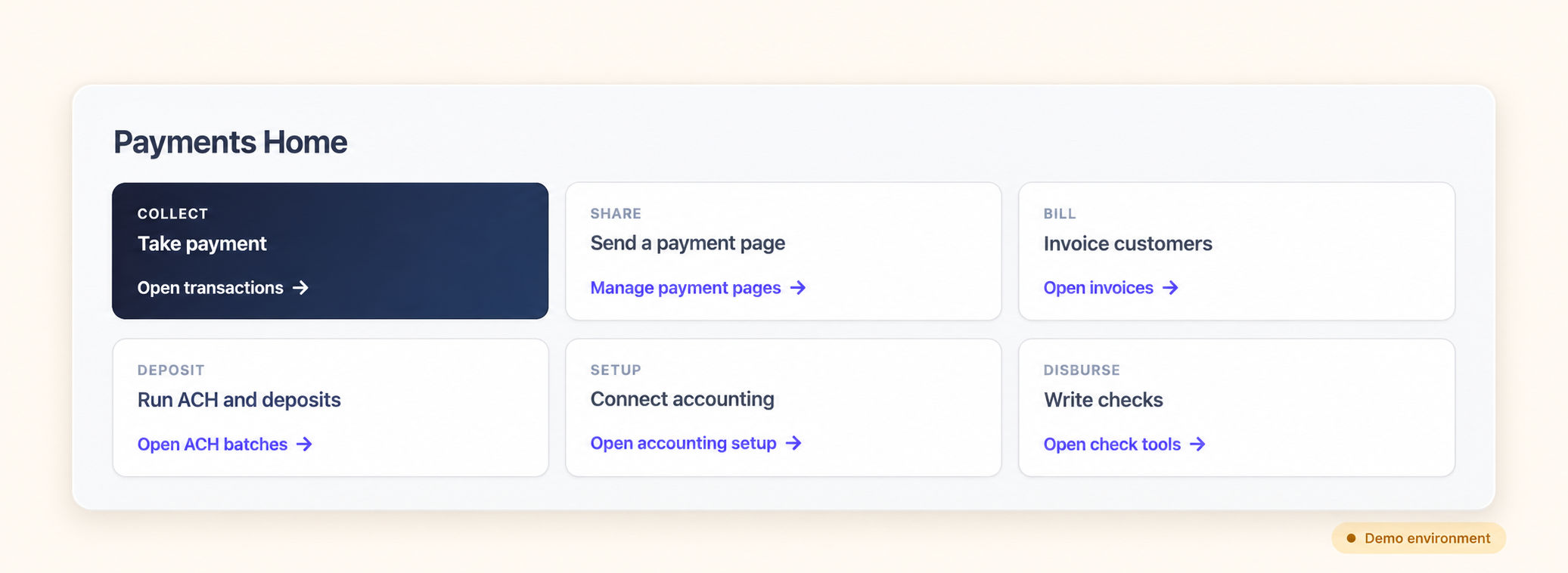 Payments Home shown in a demo environment.
Connect your ledger and map accounts once
Connect your Xero or QuickBooks Online organization and select the bank, revenue, expense, and holding accounts used by your payment workflow.
Once the mapping is configured, ePayUs can structure payment records consistently without requiring operational staff to work directly inside your chart of accounts.
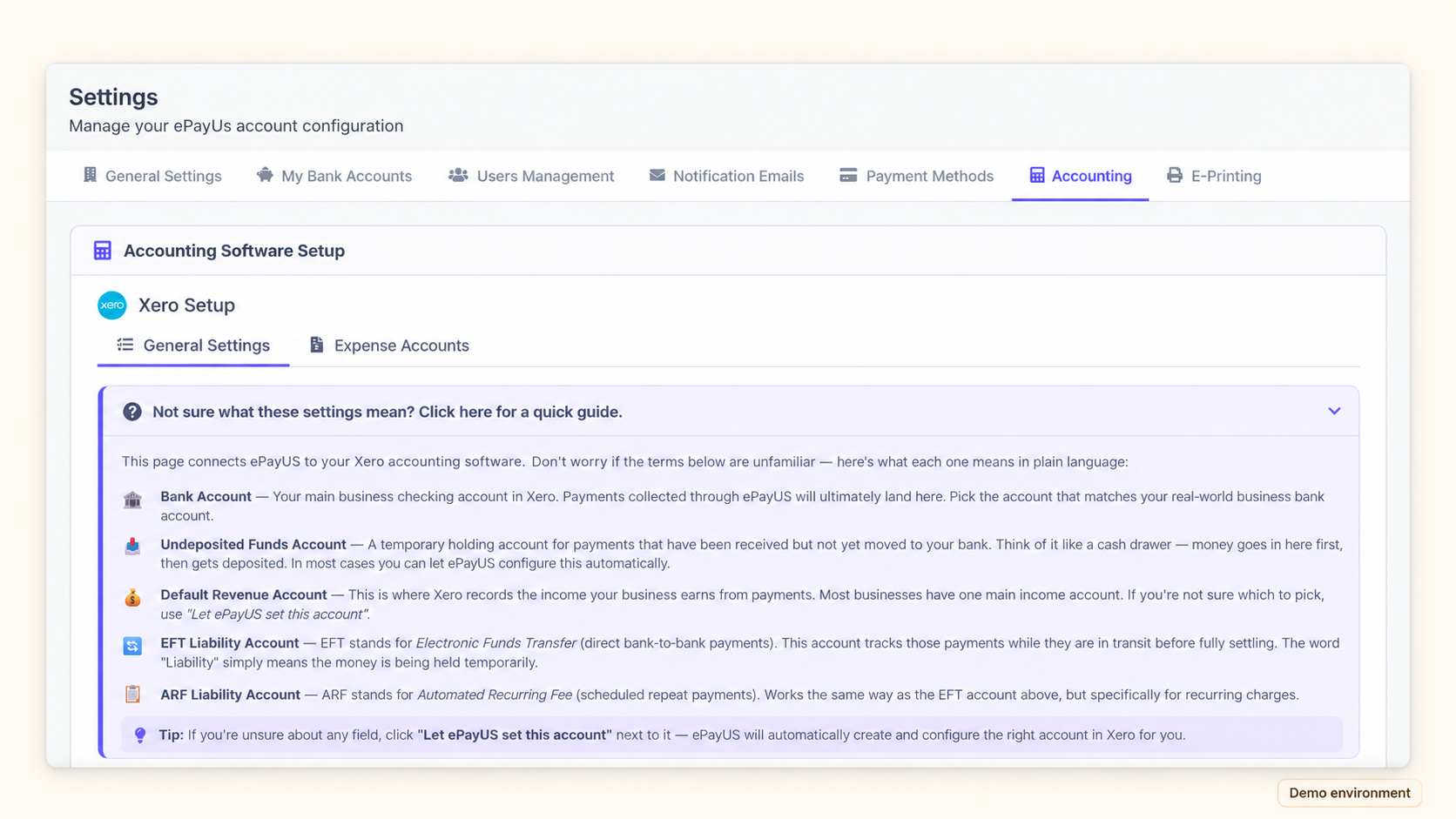 Accounting mapping setup shown with sample configuration.
Prepare and track every deposit
Choose a printable deposit package for checks and cash, or create a NACHA-formatted file for supported bank workflows.
Each created deposit remains available with its total, included payment details, creation history, and printable documentation.
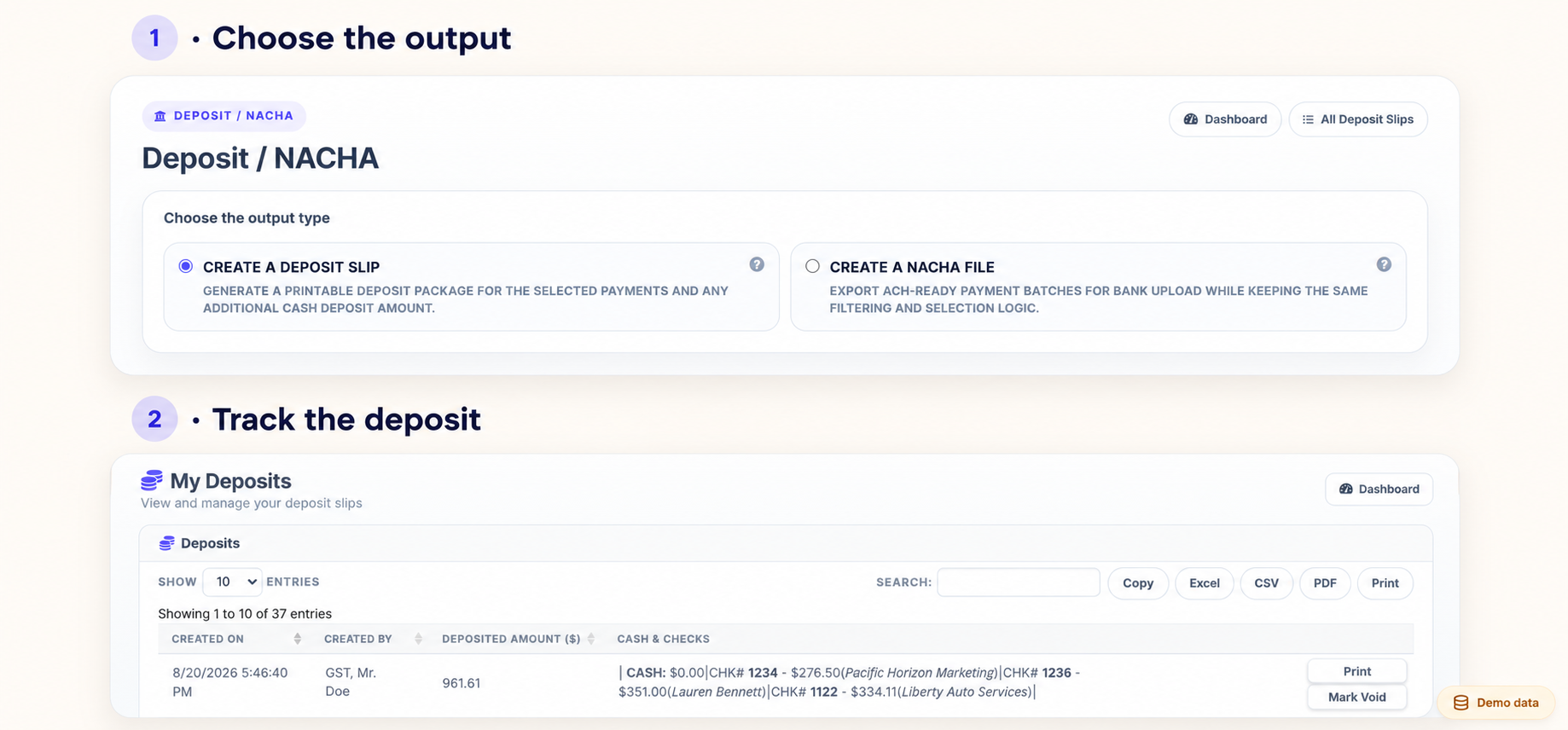 Deposit records shown with sample data.
A complete back office
in six core capabilities.
A structured operating layer sitting cleanly before your ledger. Connects directly with Stripe, PayPal, Xero, and QuickBooks Online.
Invoicing
Branded PDF delivery with instant payment links. Accounts update automatically upon customer settlement.
Digital Payments
Native Stripe and PayPal rails. Processing fees are automatically routed into dedicated expense lines.
Checks & Cash
Simple desk intake form that generates printable deposit slips and NACHA-formatted ACH files.
Receipts & Audit
Instant client receipts paired with permanent search metadata for frictionless year-end accounting.
Payment Portals
Branded hosted URLs for retainers and services that feed directly into pre-assigned ledger accounts.
Reconciliation
Mapped clearing feeds that prepare records so holding accounts reset to $0.00 upon verified settlement.
Xero and QuickBooks are exceptional ledgers. Here is where we bridge the gap.
Both platforms excel at ledger accounting. ePayUs provides the front-end intake layer that prevents messy paper transactions and merchant deductions from corrupting your books.
Xero or QuickBooks alone
- ×Paper check details manually transcribed from desk piles
- ×Cash deposits tracked informally outside the software
- ×Stripe fee deductions require manual journal adjustments
- ×Different client workflows between Xero and QuickBooks
- ×Undeposited funds carry unverified balances for weeks
- ×No commercial NACHA batch format generator
Xero or QuickBooks + ePayUs
- ✓Standard intake screen to bank-ready deposit slip PDF
- ✓Cash deposits recorded with full memo & audit history
- ✓Processor fees separated automatically into expense accounts
- ✓One standardized intake workflow across all organizations
- ✓Clearing accounts settle to $0.00 upon verified bank deposit
- ✓Direct NACHA-compliant ACH file export
“Imagine leaving the office on a Friday at 5 PM, knowing every check, cash deposit, and card payout is properly categorized.”
Frequently asked questions.
What happens if I stop using ePayUs?
Do I need to migrate or replace my existing accounting software?
How does setup work for new accounts?
Does ePayUs support both Xero and QuickBooks Online?
How are Stripe fees recorded in the ledger?
How does paper check intake work?
Does ePayUs hold customer funds?
Easy to connect.
Zero data lock-in.
ePayUs sits between your intake channels and your general ledger. Your data lives in Xero or QuickBooks Online, not inside a proprietary silo.
Every synced transaction, deposit slip reference, and fee expense line remains permanently written to your accounting software. Disconnecting the platform simply stops automated matching without disrupting your books.
Start your 14-day firm trial today.
Connect your ledger, generate your first bank-ready deposit slip, and see your clearing accounts balance out daily. Full access, zero commitment.
Financial & Legal Disclaimers
1. Non-Banking Notice: ePayUs, Inc. does not accept deposits, hold custodial escrow, transmit money, or issue currency. Payment gateway interactions are executed via third-party processors.
2. Check 21 & Remote Deposit: Users formatting check drafts or bank deposit slips warrant that they have secured valid payor authorization conforming to UCC Article 3 and bank Remote Deposit Capture guidelines.
3. Reconciliation Disclaimer: While ePayUs provides automated rules to clear undeposited funds to $0.00, subscribers retain ultimate responsibility for verifying the accuracy of tax classifications, journals, and bank reconciliations filed within general ledgers.